• (+62721) 702022 (Hunting)
  • [email protected]
  • Youtube
  • Instagram
  • Facebook
  • Alumni
Bahasa IndonesiaID
  • EnglishEN
PENDAFTARAN
  • Beranda
  • Tentang
        • Tentang Teknokrat
          • Sejarah
          • Visi dan Misi
          • Yayasan Pendidikan Teknokrat
          • Rektor UTI
          • Pimpinan Universitas
          • Dosen Teknokrat
          • Profil UTI
          • Kebijakan Privasi
          • Kontak Kami
        • Beasiswa
          • Beasiswa KIP Kuliah
          • Beasiswa Yayasan
        • Kualitas
          • Akreditasi
          • Pusat Penjaminan Mutu
          • e-SPMI
          • Legalitas dan Pengakuan
          • Sistem Manajemen Gedung
        • Kolaborasi & Kemitraan
          • HEI Luar Negeri
          • Industri
          • Pemerintah
          • Kerjasama
          • Karier
        • Unit Penunjang
          • Pusat Inovasi & Kewirausahaan
          • Penelitian dan Pengabdian kepada Masyarakat
          • Pusat Karier & Pelatihan
          • Pusat Pengembangan Mahasiswa
  • Mengapa Teknokrat?
    • Internasionalisasi
    • Jalur Pengembangan Mahasiswa
    • Prestasi
    • Pusat Keunggulan
    • Jalur Karier
    • Komunitas Mahasiswa
    • Fasilitas
    • Peluang Lulusan
    • Alumni
  • Pendaftaran
    • Program Sarjana (S1)
      • Pendaftaran
      • Brosur
      • Kalender Penerimaan
      • Prosedur Penerimaan
      • Persyaratan Pendaftaran
      • Biaya Pendidikan
    • Program Magister (S2)
      • Pendaftaran
      • Brosur
      • Prosedur Penerimaan
      • Biaya Pendidikan
    • Program Internasional
      • Teknokrat Global Connect
  • Program
        • Fakultas Sastra dan Ilmu Pendidikan
          • Pendidikan Bahasa Inggris
          • Pendidikan Matematika
          • Pendidikan Olahraga
          • Sastra Inggris
        • Fakultas Ekonomi dan Bisnis
          • Manajemen
          • Akuntansi
        • Fakultas Teknik dan Ilmu Komputer
          • Sistem Informasi
          • Teknologi Informasi
          • Teknik Elektro
          • Teknik Komputer
          • Teknik Sipil
          • Informatika
        • Program Internasional
          • Teknokrat Global Connect
        • Program Magister
          • Magister Bahasa Inggris (S2)
          • Magister Ilmu Komputer (S2)
  • Berita
  • Layanan
        • Fasilitas Umum
          • Penerbit
          • Perpustakaan
          • Kemahasiswaan
          • Ensiklopedia Teknokrat
          • Kartu Teknokrat
          • Teknokrat Student Park
          • Teknokrat TV
          • Lapor Satgas PPKPT
          • Teknokrat Virtual View
          • Youtube Teknokrat
          • Uji Kompetensi
          • Layanan Disabilitas
        • Layanan Elektronik
          • Online Learning (SPADA)
          • Massive Open Online Courses (MOOCs)
          • Aplikasi e-Parent
          • e-Presensi Ormawa
          • e-Peminjaman
          • e-Certificate
          • e-Quality
          • e-Jurnal
          • Siakad
          • Cyber Security Team
          • Tracer Study
  • Pusat SDGs
  • Jaminan Mutu
PENDAFTARAN
  • EnglishEN
  • Bahasa IndonesiaID
  • Beranda
  • Tentang
    • Tentang Teknokrat
      • Sejarah
      • Visi dan Misi
      • Yayasan Pendidikan Teknokrat
      • Rektor UTI
      • Pimpinan Universitas
      • Dosen Teknokrat
      • Profil UTI
      • Kebijakan Privasi
      • Kontak Kami
    • Beasiswa
      • Beasiswa KIP Kuliah
      • Beasiswa Yayasan
    • Kualitas
      • Akreditasi
      • Pusat Penjaminan Mutu
      • e-SPMI
      • Legalitas dan Pengakuan
      • Sistem Manajemen Gedung
    • Kolaborasi & Kemitraan
      • HEI Luar Negeri
      • Industri
      • Pemerintah
      • Kerjasama
      • Karier
    • Unit Penunjang
      • Pusat Inovasi & Kewirausahaan
      • Penelitian dan Pengabdian kepada Masyarakat
      • Pusat Karier & Pelatihan
      • Pusat Pengembangan Mahasiswa
  • Mengapa Teknokrat?
    • Internasionalisasi
    • Jalur Pengembangan Mahasiswa
    • Prestasi
    • Pusat Keunggulan
    • Jalur Karier
    • Komunitas Mahasiswa
    • Fasilitas
    • Peluang Lulusan
    • Alumni
  • Pendaftaran
    • Program Sarjana (S1)
      • Pendaftaran
      • Brosur
      • Kalender Penerimaan
      • Prosedur Penerimaan
      • Persyaratan Pendaftaran
      • Biaya Pendidikan
    • Program Magister (S2)
      • Pendaftaran
      • Brosur
      • Prosedur Penerimaan
      • Biaya Pendidikan
    • Program Internasional
      • Teknokrat Global Connect
  • Program
    • Fakultas Sastra dan Ilmu Pendidikan
      • Pendidikan Bahasa Inggris
      • Pendidikan Matematika
      • Pendidikan Olahraga
      • Sastra Inggris
    • Fakultas Ekonomi dan Bisnis
      • Manajemen
      • Akuntansi
    • Fakultas Teknik dan Ilmu Komputer
      • Sistem Informasi
      • Teknologi Informasi
      • Teknik Elektro
      • Teknik Komputer
      • Teknik Sipil
      • Informatika
    • Program Internasional
      • Teknokrat Global Connect
    • Program Magister
      • Magister Bahasa Inggris (S2)
      • Magister Ilmu Komputer (S2)
  • Berita
  • Layanan
    • Fasilitas Umum
      • Penerbit
      • Perpustakaan
      • Kemahasiswaan
      • Ensiklopedia Teknokrat
      • Kartu Teknokrat
      • Teknokrat Student Park
      • Teknokrat TV
      • Lapor Satgas PPKPT
      • Teknokrat Virtual View
      • Youtube Teknokrat
      • Uji Kompetensi
      • Layanan Disabilitas
    • Layanan Elektronik
      • Online Learning (SPADA)
      • Massive Open Online Courses (MOOCs)
      • Aplikasi e-Parent
      • e-Presensi Ormawa
      • e-Peminjaman
      • e-Certificate
      • e-Quality
      • e-Jurnal
      • Siakad
      • Cyber Security Team
      • Tracer Study
  • Pusat SDGs
  • Jaminan Mutu
  • Home
  • Komputer

Keeping your WA account unhacked with Two Factor Authentication

  • Posted by
  • Date 13/11/2021
  • Categories Komputer, Teknik

The Need to Secure Accounts with Two Factor Authentication

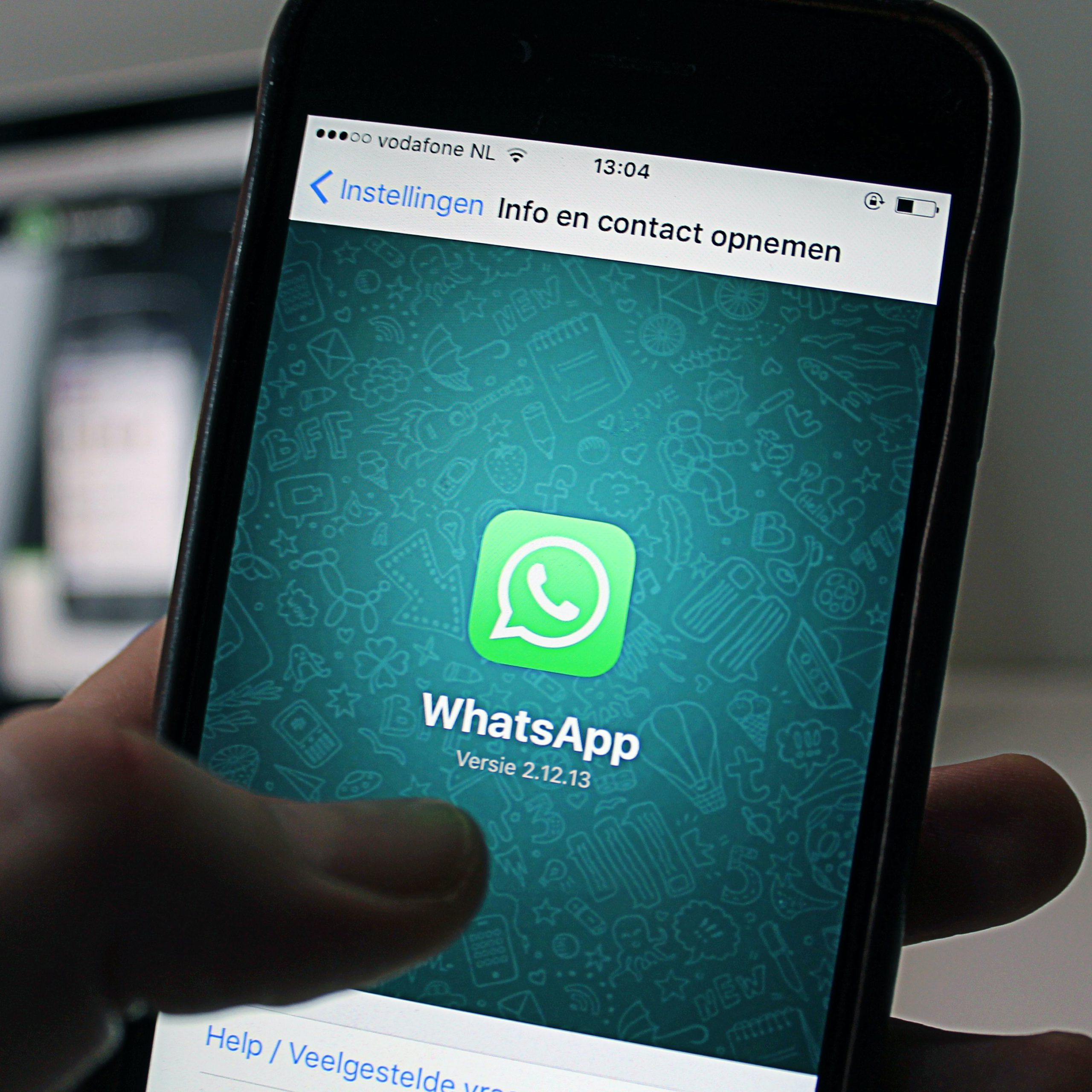
Securing WA accounts with Two Factor Authentication is something we need to do. The whatsapp (WA) account is one of the accounts that we must protect so that it does not fall into the hands of irresponsible people. Currently the WA application is widely used by people from all over the world. This is evidenced by the number of downloads of the WA application on the play store which has now reached more than 5 trillion. The WA application is a messaging application that is very easy to use with various very interesting features in it. With various advantages, the WA application is a widely used messaging application. However, there are still many WA users who are not aware of security for various reasons for each user. Even though if the WA account falls to someone else who is not responsible, it can result in unwanted things happening which is certainly very detrimental to the account owner such as disguises and fraud.

Faculty of Engineering and Computer Science

More CLICK HERE

The following are signs that a WA account has been hacked or has been taken over by someone else:

  1. WA account exits the application suddenly
  2. The WA message has read the status even though we haven’t opened the message
  3. A message was sent even though we didn’t send a message
  4. There is a history of Whatsapp Web with unknown devices
Keep WhatsApp Account secure with Two Factor Authentication

One that can be applied is to use the two factor authentication (2FA) feature or 2-step verification that already exists in the WA application. Two-step verification means that when we log in to WA on a new device or when we re-login to the WA application, besides having to enter the One Time Password (OTP) code, we also have to enter the PIN number that we have set. So that by activating this feature, when the OTP WA code has been obtained by someone who is not responsible, then that person still cannot login to the WA application because they have to enter the Personal Identification Number (PIN) again in the form of a 6-digit number.

Steps to secure WhatsApp account with Two Factor Authentication
How to secure a WA account using verification with Two Factor Authentication, Here are the steps:

  • Login to the WA application
  • Enter the settings menu by tapping the three dots on the top right of the WA application as shown below, then tap the Settings menu.
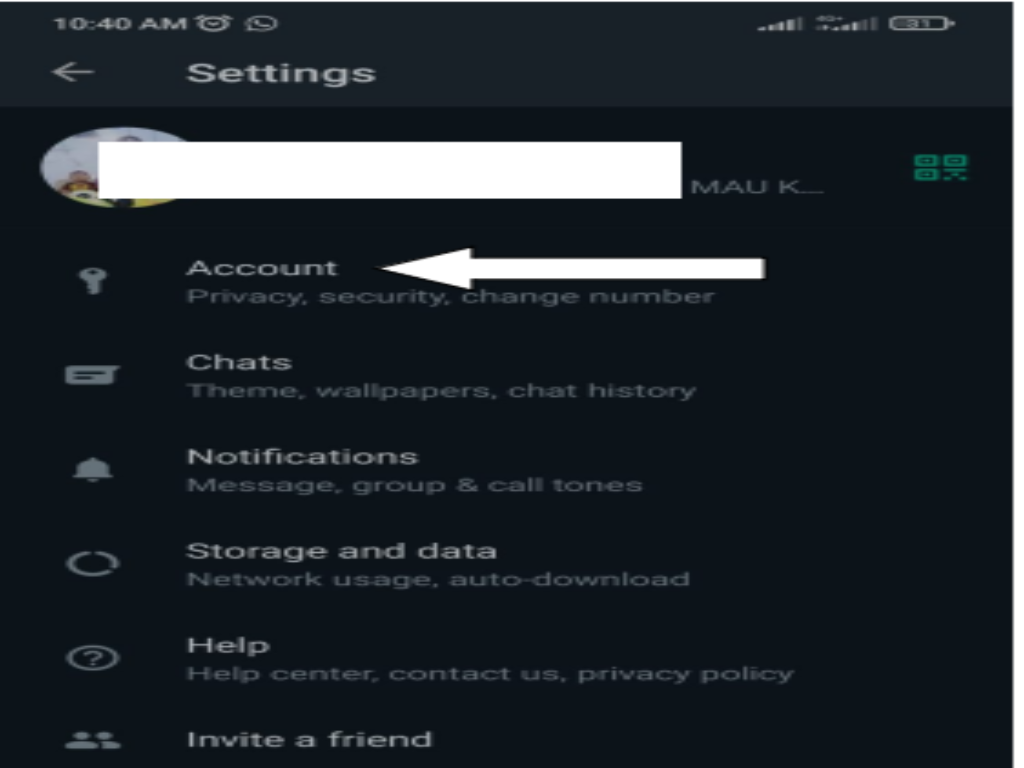
  • On the screen that appears, Tap the Account menu
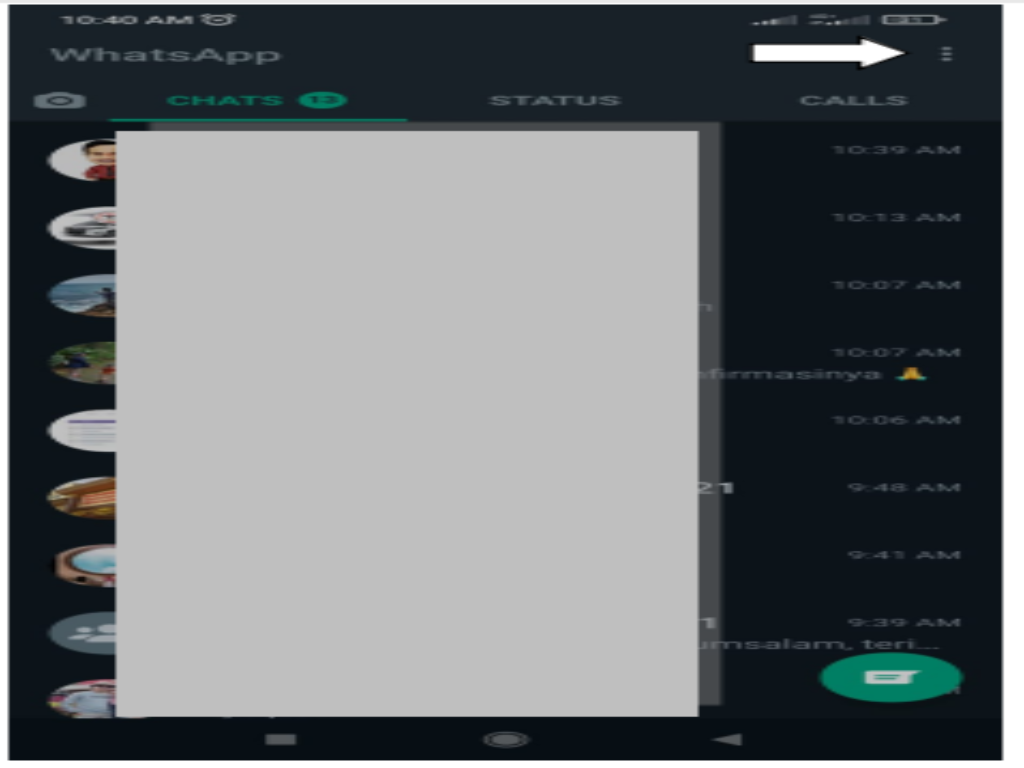
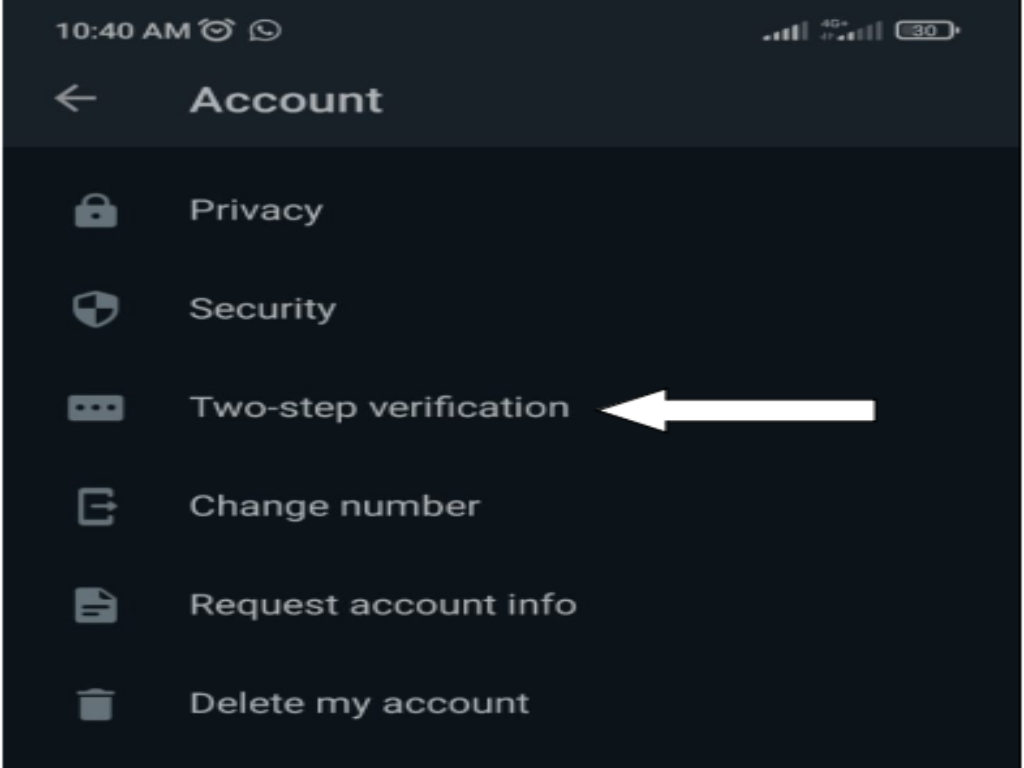
  • Then select two-step verification
  • Lalu aktifkan fitur 2FA atau verifikasi 2 langkah dengan tap tombol Enable seperti gambar berikut.

Why is it necessary to secure WhatsApp?

Get complete information HERE
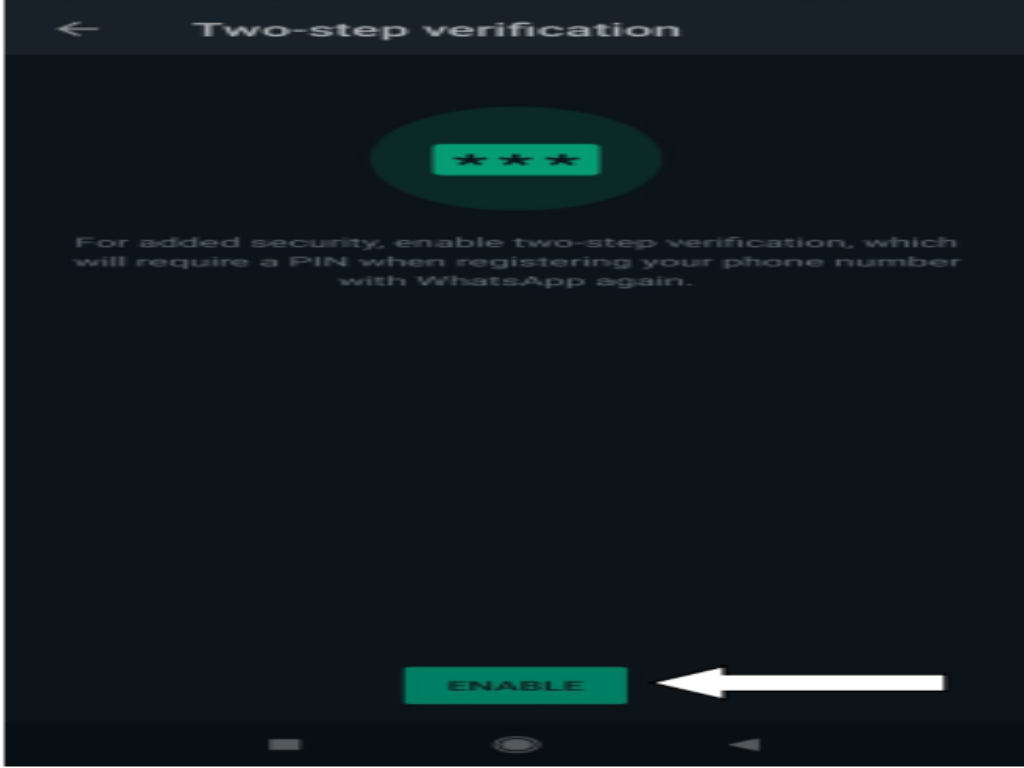
  • On the screen that appears enter the PIN 2 times (use a pin that is not easy to guess, but easy to remember, do not use a PIN in the form of a date of birth because it is very easy to guess). Then enter the email address that will be used to confirm the PIN reset if we forget the PIN.
  • Done, If successful it will appear on the HP screen as shown below. To change the PIN can be done by going to the change PIN menu, then do step 6.
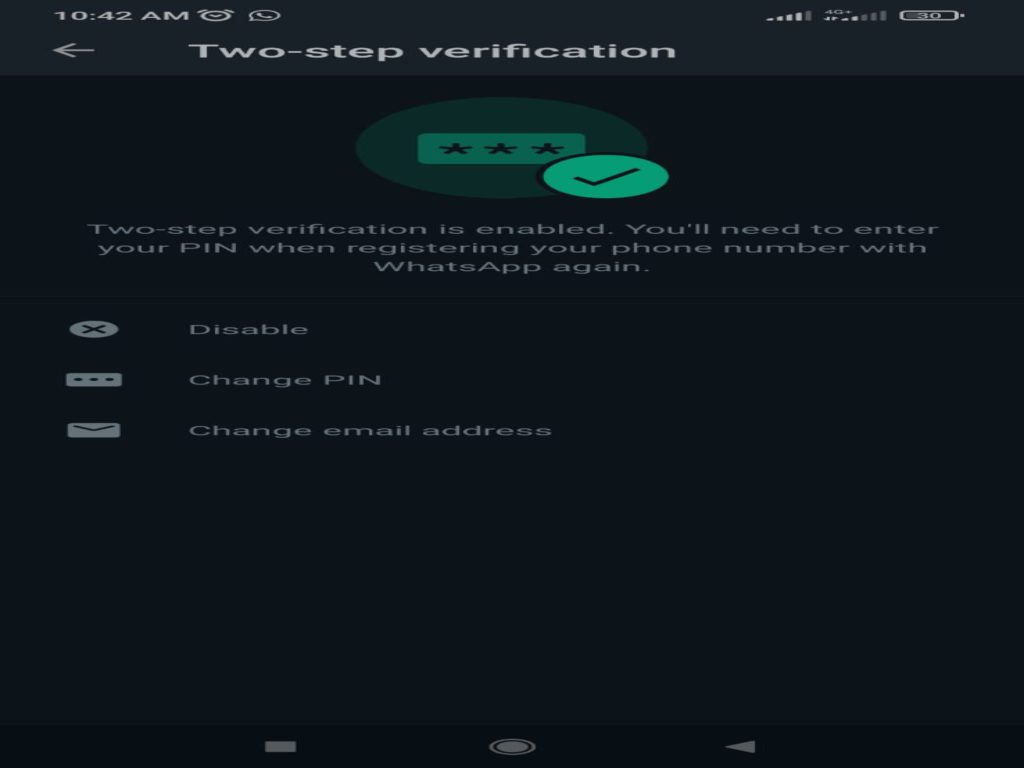
That’s how to secure a WA account so that it doesn’t get hacked using the two factor authentication (2FA) method or two-step verification, hopefully it’s useful.

  • Share:
author avatar

Previous post

MATHEMATICS MODELING CALCULATOR INTERPOLATION WITH WOLFRAMALPHA
13/11/2021

Next post

Simple Ways to Create our Home Door Security System
13/11/2021

Pos-pos Terbaru

  • PEMBEKALAN ASISTEN DOSEN ! Wakil Rektor Teknokrat: Akreditasi Unggul Harus Berdampak Nyata bagi Mahasiswa
  • KEREN !! Universitas Teknokrat Indonesia Kenalkan Teknologi Robotika kepada Siswa SMKS Nusantara Pesawaran, Tiga Robot Berhasil Dirakit
  • HITEKMASI Teknokrat Gelar Team Building Camp, Cetak Mahasiswa yang Unggul dan Berjiwa Kepemimpinan
  • KEREN !! HIMA Akuntansi Universitas Teknokrat Indonesia Gelar Team Building Camp, Perkuat Kepemimpinan dan Solidaritas Mahasiswa
  • MEMBANGGAKAN !! Harumkan Nama Kampus di Tingkat Nasional, Tim Tapis Berseri Universitas Teknokrat Indonesia Raih Juara I Sandi Yudha Competition 2026
  • LUAR BIASA !! Libatkan 41 Organisasi Mahasiswa, Student Fest Technology and Art Expo 2026 Universitas Teknokrat Indonesia Jadi Wadah Pengembangan Potensi Mahasiswa
  • TEMBUS 4 BESAR NASIONAL !! Universitas Teknokrat Indonesia Loloskan 21 Produk Inovasi ke KSTI 2026 Mengungguli Beberapa Kampus Top di Indonesia
  • LUAR BIASA !! Duta Teknokrat 2026 Lahirkan Generasi “Progressive Patriots”, Siap Jadi Pemimpin Muda Berkarakter dan Menginspirasi
  • MENDUNIA !! Rektor Universitas Teknokrat Indonesia Ditetapkan sebagai Chair Professor di Dua Universitas Korea Selatan

Kontak

  • Universitas Teknokrat Indonesia
  • Jl. Zainal Abidin Pagaralam, No.9-11 Labuhan Ratu, Kota Bandar Lampung Provinsi Lampung, 35132
  • (+62721) 702022 (Hunting)
  • +62 822-7992-0145 (Khusus Chat)
  • [email protected]

Unit dan Layanan Pendukung

  • Perpustakaan
  • Kemahasiswaan
  • Penjaminan Mutu
  • Pusat Karier dan Pelatihan
  • Pusat Inkubator Bisnis
  • Satgas PPKPT Teknokrat

Layanan Akademik dan Digital

  • Sistem Informasi Akademik
  • Pembelajaran Daring (SPADA)
  • Uji Kompetensi Berbasis Komputer
  • Jurnal Elektronik
  • e-Parent (Portal Orang Tua Mahasiswa)
  • Sertifikat Elektronik
  • Alumni dan Tracer Study

Penerimaan Mahasiswa Baru

  • Daftar Sekarang
  • Informasi Biaya Kuliah
  • Informasi Beasiswa
Facebook-f Instagram Youtube

Copyright Themes © 2022

Copyright Themes © 2022

Copyright Themes © 2022

Copyright Themes © 2022

Copyright Themes © 2022