

• (+62721) 702022 (Hunting)
  • [email protected]
  • Youtube
  • Instagram
  • Facebook
  • Alumni
Bahasa IndonesiaID
  • EnglishEN
PENDAFTARAN
  • Beranda
  • Tentang
        • Tentang Teknokrat
          • Sejarah
          • Visi dan Misi
          • Yayasan Pendidikan Teknokrat
          • Rektor UTI
          • Pimpinan Universitas
          • Dosen Teknokrat
          • Profil UTI
          • Kebijakan Privasi
          • Kontak Kami
        • Beasiswa
          • Beasiswa KIP Kuliah
          • Beasiswa Yayasan
        • Kualitas
          • Akreditasi
          • Pusat Penjaminan Mutu
          • e-SPMI
          • Legalitas dan Pengakuan
          • Sistem Manajemen Gedung
        • Kolaborasi & Kemitraan
          • HEI Luar Negeri
          • Industri
          • Pemerintah
          • Kerjasama
          • Karier
        • Unit Penunjang
          • Pusat Inovasi & Kewirausahaan
          • Penelitian dan Pengabdian kepada Masyarakat
          • Pusat Karier & Pelatihan
          • Pusat Pengembangan Mahasiswa
  • Mengapa Teknokrat?
    • Internasionalisasi
    • Jalur Pengembangan Mahasiswa
    • Prestasi
    • Pusat Keunggulan
    • Jalur Karier
    • Komunitas Mahasiswa
    • Fasilitas
    • Peluang Lulusan
    • Alumni
  • Pendaftaran
    • Program Sarjana (S1)
      • Pendaftaran
      • Brosur
      • Kalender Penerimaan
      • Prosedur Penerimaan
      • Persyaratan Pendaftaran
      • Biaya Pendidikan
    • Program Magister (S2)
      • Pendaftaran
      • Brosur
      • Prosedur Penerimaan
      • Biaya Pendidikan
    • Program Internasional
      • Teknokrat Global Connect
  • Program
        • Fakultas Sastra dan Ilmu Pendidikan
          • Pendidikan Bahasa Inggris
          • Pendidikan Matematika
          • Pendidikan Olahraga
          • Sastra Inggris
        • Fakultas Ekonomi dan Bisnis
          • Manajemen
          • Akuntansi
        • Fakultas Teknik dan Ilmu Komputer
          • Sistem Informasi
          • Teknologi Informasi
          • Teknik Elektro
          • Teknik Komputer
          • Teknik Sipil
          • Informatika
        • Program Internasional
          • Teknokrat Global Connect
        • Program Magister
          • Magister Bahasa Inggris (S2)
          • Magister Ilmu Komputer (S2)
  • Berita
  • Layanan
        • Fasilitas Umum
          • Penerbit
          • Perpustakaan
          • Kemahasiswaan
          • Ensiklopedia Teknokrat
          • Kartu Teknokrat
          • Teknokrat Student Park
          • Teknokrat TV
          • Lapor Satgas PPKPT
          • Teknokrat Virtual View
          • Youtube Teknokrat
          • Uji Kompetensi
          • Layanan Disabilitas
        • Layanan Elektronik
          • Online Learning (SPADA)
          • Massive Open Online Courses (MOOCs)
          • Aplikasi e-Parent
          • e-Presensi Ormawa
          • e-Peminjaman
          • e-Certificate
          • e-Quality
          • e-Jurnal
          • Siakad
          • Cyber Security Team
          • Tracer Study
  • Pusat SDGs
  • Jaminan Mutu
PENDAFTARAN
  • EnglishEN
  • Bahasa IndonesiaID
  • Beranda
  • Tentang
    • Tentang Teknokrat
      • Sejarah
      • Visi dan Misi
      • Yayasan Pendidikan Teknokrat
      • Rektor UTI
      • Pimpinan Universitas
      • Dosen Teknokrat
      • Profil UTI
      • Kebijakan Privasi
      • Kontak Kami
    • Beasiswa
      • Beasiswa KIP Kuliah
      • Beasiswa Yayasan
    • Kualitas
      • Akreditasi
      • Pusat Penjaminan Mutu
      • e-SPMI
      • Legalitas dan Pengakuan
      • Sistem Manajemen Gedung
    • Kolaborasi & Kemitraan
      • HEI Luar Negeri
      • Industri
      • Pemerintah
      • Kerjasama
      • Karier
    • Unit Penunjang
      • Pusat Inovasi & Kewirausahaan
      • Penelitian dan Pengabdian kepada Masyarakat
      • Pusat Karier & Pelatihan
      • Pusat Pengembangan Mahasiswa
  • Mengapa Teknokrat?
    • Internasionalisasi
    • Jalur Pengembangan Mahasiswa
    • Prestasi
    • Pusat Keunggulan
    • Jalur Karier
    • Komunitas Mahasiswa
    • Fasilitas
    • Peluang Lulusan
    • Alumni
  • Pendaftaran
    • Program Sarjana (S1)
      • Pendaftaran
      • Brosur
      • Kalender Penerimaan
      • Prosedur Penerimaan
      • Persyaratan Pendaftaran
      • Biaya Pendidikan
    • Program Magister (S2)
      • Pendaftaran
      • Brosur
      • Prosedur Penerimaan
      • Biaya Pendidikan
    • Program Internasional
      • Teknokrat Global Connect
  • Program
    • Fakultas Sastra dan Ilmu Pendidikan
      • Pendidikan Bahasa Inggris
      • Pendidikan Matematika
      • Pendidikan Olahraga
      • Sastra Inggris
    • Fakultas Ekonomi dan Bisnis
      • Manajemen
      • Akuntansi
    • Fakultas Teknik dan Ilmu Komputer
      • Sistem Informasi
      • Teknologi Informasi
      • Teknik Elektro
      • Teknik Komputer
      • Teknik Sipil
      • Informatika
    • Program Internasional
      • Teknokrat Global Connect
    • Program Magister
      • Magister Bahasa Inggris (S2)
      • Magister Ilmu Komputer (S2)
  • Berita
  • Layanan
    • Fasilitas Umum
      • Penerbit
      • Perpustakaan
      • Kemahasiswaan
      • Ensiklopedia Teknokrat
      • Kartu Teknokrat
      • Teknokrat Student Park
      • Teknokrat TV
      • Lapor Satgas PPKPT
      • Teknokrat Virtual View
      • Youtube Teknokrat
      • Uji Kompetensi
      • Layanan Disabilitas
    • Layanan Elektronik
      • Online Learning (SPADA)
      • Massive Open Online Courses (MOOCs)
      • Aplikasi e-Parent
      • e-Presensi Ormawa
      • e-Peminjaman
      • e-Certificate
      • e-Quality
      • e-Jurnal
      • Siakad
      • Cyber Security Team
      • Tracer Study
  • Pusat SDGs
  • Jaminan Mutu
  • Home
  • education
Microsoft word

MICROSOFT WORD FUNCTIONS, WHAT CAN WE DO?

  • Posted by
  • Date 14/01/2022
  • Categories education

Microsoft Office Word or more commonly referred to as Microsoft Word is one of the programs from Microsoft developers that has the main function as a word processing application. Microsoft Word is software that was first published in 1983 with the initial name Multi Tool Word. This software was the first version of Microsoft Word and many versions of Microsoft Word songs still exist. The latest version of Microsoft Word is Microsoft Word 2019 which is included with Microsoft Office 2019.

Microsoft Word brings many ideas and concepts from Bravos in its early days. The first graphic text editor developed by the Xerox Palo Alto Research Center. Microsoft Word itself has the concept of “what you see is what you get”. The great features of Microsoft Word itself are AutoCorrect, mail merge, automatic page indexing, automatic formatting, HTML editor, booklet layout, and much more, especially for newer versions. Microsoft Word remains the leader among the most widely used word processing programs on computers and laptops. The business community, education and the private sector. Microsoft Word was chosen because of its easy-to-learn interface. Microsoft Word functions not only to process words, but also to perform other tasks such as counting or correcting incorrect words. To learn more about Microsoft Word, see Some of the following Microsoft Word Features and Benefits:

Creating Documents

Microsoft Word is software used to create documents. This program allows you to create official, semi-formal or informal documents. To print, simply connect your computer or laptop to another device, such as a printer.

Create Invoice

To create an invoice using Microsoft Word, start by opening a blank document and determine the appropriate paper size and orientation. Then, set up the layout by adding a header containing your company information such as name, address, phone number, and email address. Next, create a table with columns for item description, quantity, unit price, and total. Fill in the table with details of the items or services sold along with their quantities and unit prices. Calculate the total price by multiplying the quantity by the unit price and add the final total at the bottom. Conclude the invoice by including payment instructions and contact information for further inquiries. Be sure to save the document as a template for future use. You can use the website Zintego.com for creating invoices for free.

Making Newspaper Columns
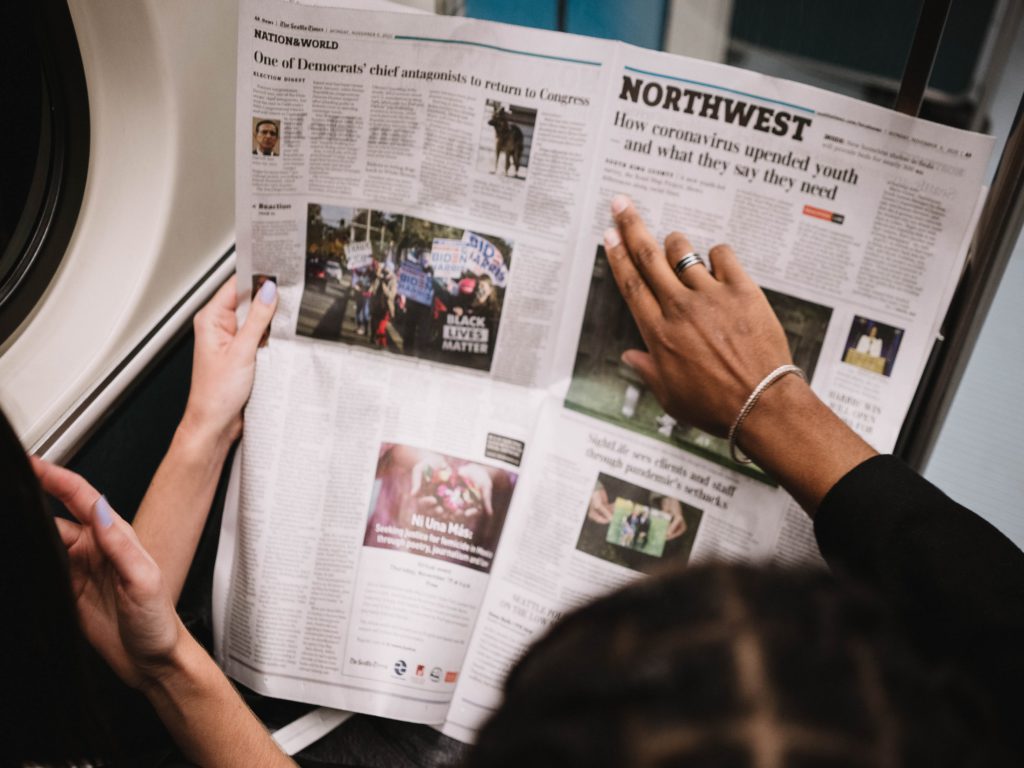
The next function of Microsoft Word is that you can create documents in the form of newspaper pages that you usually read. Using the Columns tool on the PAGE LAYOUT menu you can change a paragraph into several columns. For the position and the amount you can adjust to your liking or according to your needs.

Creating Mass Letters

The next function of Microsoft Word is to write mass letters. To write a letter, you must first write it on paper or type it on a typewriter. However, after the advent of Microsoft Word, writing articles or correspondence will become easier. Mass letters are letters that are produced in large quantities. You do not need to create one by one letter that you will send to several recipients. You can add recipient data to the letter that you created into the database contained in the Mailings menu and the data you created will be saved automatically and your document is connected to Ms. Software. Access. So you only need to create 1 letter format that will be sent to several recipients that have been created in the database.

Creating Documents with Various Variations

In the past, typewriters could be used or simply written on a typewriter to create documents, so any variation or form of a document was normal. With Microsoft Word, you can create more interesting documents. For example, changing the font or making text bolder, smaller, or larger. There are so many tools you can create with Microsoft Word. This will make your document more interesting and diverse.

Creating Tables

The next function of Microsoft Word is that users can create tables in it. You no longer need to draw with a ruler when creating tables in your document. One of the tools or tools in Microsoft Word is inserting a table that can be changed in shape and volume. Isn’t that very useful?

Adding Images to Documents

Features in Microsoft Word can make it easy to insert pictures into your documents. Previously, images could only be pasted using glue directly onto your paper, but using Ms. Your Word image can be inserted directly into the document without pasting it. You can also adjust the image to fit the image you want.


  • Share:
author avatar

Previous post

UNIVERSITAS TEKNOKRAT INDONESIALECTURER GIVES DIGITAL MARKETING TRAINING OPTIMIZING MSME MARNING MARKETING
14/01/2022

Next post

TIPS FOR THE RIGHT TIME TO STUDY
14/01/2022

Pos-pos Terbaru

  • PEMBEKALAN ASISTEN DOSEN ! Wakil Rektor Teknokrat: Akreditasi Unggul Harus Berdampak Nyata bagi Mahasiswa
  • KEREN !! Universitas Teknokrat Indonesia Kenalkan Teknologi Robotika kepada Siswa SMKS Nusantara Pesawaran, Tiga Robot Berhasil Dirakit
  • HITEKMASI Teknokrat Gelar Team Building Camp, Cetak Mahasiswa yang Unggul dan Berjiwa Kepemimpinan
  • KEREN !! HIMA Akuntansi Universitas Teknokrat Indonesia Gelar Team Building Camp, Perkuat Kepemimpinan dan Solidaritas Mahasiswa
  • MEMBANGGAKAN !! Harumkan Nama Kampus di Tingkat Nasional, Tim Tapis Berseri Universitas Teknokrat Indonesia Raih Juara I Sandi Yudha Competition 2026
  • LUAR BIASA !! Libatkan 41 Organisasi Mahasiswa, Student Fest Technology and Art Expo 2026 Universitas Teknokrat Indonesia Jadi Wadah Pengembangan Potensi Mahasiswa
  • TEMBUS 4 BESAR NASIONAL !! Universitas Teknokrat Indonesia Loloskan 21 Produk Inovasi ke KSTI 2026 Mengungguli Beberapa Kampus Top di Indonesia
  • LUAR BIASA !! Duta Teknokrat 2026 Lahirkan Generasi “Progressive Patriots”, Siap Jadi Pemimpin Muda Berkarakter dan Menginspirasi
  • MENDUNIA !! Rektor Universitas Teknokrat Indonesia Ditetapkan sebagai Chair Professor di Dua Universitas Korea Selatan

Kontak

  • Universitas Teknokrat Indonesia
  • Jl. Zainal Abidin Pagaralam, No.9-11 Labuhan Ratu, Kota Bandar Lampung Provinsi Lampung, 35132
  • (+62721) 702022 (Hunting)
  • +62 822-7992-0145 (Khusus Chat)
  • [email protected]

Unit dan Layanan Pendukung

  • Perpustakaan
  • Kemahasiswaan
  • Penjaminan Mutu
  • Pusat Karier dan Pelatihan
  • Pusat Inkubator Bisnis
  • Satgas PPKPT Teknokrat

Layanan Akademik dan Digital

  • Sistem Informasi Akademik
  • Pembelajaran Daring (SPADA)
  • Uji Kompetensi Berbasis Komputer
  • Jurnal Elektronik
  • e-Parent (Portal Orang Tua Mahasiswa)
  • Sertifikat Elektronik
  • Alumni dan Tracer Study

Penerimaan Mahasiswa Baru

  • Daftar Sekarang
  • Informasi Biaya Kuliah
  • Informasi Beasiswa
Facebook-f Instagram Youtube

Copyright Themes © 2022

Copyright Themes © 2022

Copyright Themes © 2022

Copyright Themes © 2022

Copyright Themes © 2022